Your app does not need a TikTok strategy. It needs a screenshot strategy. The five-screenshot framework that turns App Store search impressions into installs, with the rules Apple's discoverability research keeps confirming and the indie shortcuts that work in 2026.
Your app does not need a TikTok strategy. It needs a screenshot strategy.
Most indie devs spend a weekend on screenshots, ship them, and never touch them again. They are then surprised that buyers scroll past their app in App Store search results. The buyers are not being rude. The buyers are doing exactly what App Store search results are built to encourage. They are scrolling. The question is whether your first screenshot earns a tap before the scroll continues.
This post is the five-screenshot framework I run on every app I touch. It is the same workflow that took one finance app I worked on from an 18 percent product-page conversion rate to 28 percent in three weeks, with no code changes and no new screenshots of any new features. Just a regenerated set that led with the outcome, not the UI.
The scroll test, not the three-second test
Indie ASO blogs love to quote "the three-second test." The idea is that buyers spend three seconds on your App Store search result before they decide whether to tap. Apple has never published a specific number, and any blog claiming a precise duration is making it up. What is true, and what Apple has confirmed in its developer guidance and discoverability sessions, is that the decision happens fast and is dominated by the icon and the first screenshot. The screenshot is doing more of that work than indie devs assume.
So forget the three-second test as a number. Run the scroll test instead.
Open the App Store on your phone. Search a keyword in your category. Watch yourself scroll. What earns a stop? What earns a tap? You will find the answer is almost never the dashboard or the menu. It is almost always a frame that shows the outcome of using the app in one image, with a caption above the device frame that explains the outcome in four words or fewer.
The five-screenshot framework
Apple shows up to ten screenshots per app on the App Store product page. Indie devs almost always upload three or five. The first three are the ones that decide everything. The rest are read by buyers who already decided to tap.
Five-screenshot order:
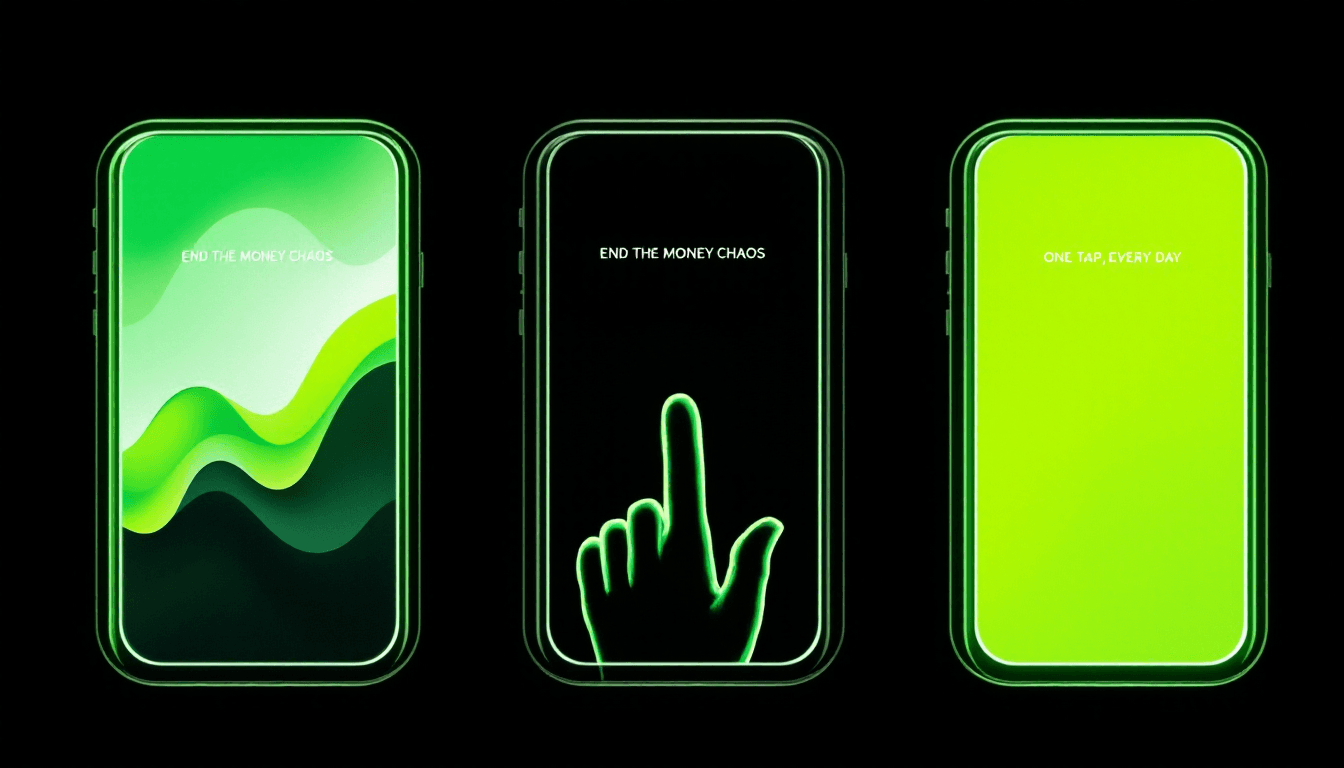
- Hero — the outcome. The single image that shows what changes for the buyer. Before-and-after, the streak, the graph trending up, the calm screen after the chaos. Caption above the device frame. Four words or fewer. Verb-first when possible. "End the money chaos." "Build the daily streak." "Stop forgetting to drink."
- Moment of use. Hands on the phone. Mid-tap. The single action that produces the outcome. Caption completes the sentence the hero started.
- Proof. A stat, a number, a social-proof line, or a differentiator. "127,432 entries logged." "Works offline. Forever." "Five-star average from 2,200 reviewers." The proof slot is the one most indie devs skip and the one that converts the scrolled-and-stopped buyer.
- Use case 1. A specific scenario the buyer recognises. Power user, beginner, exact niche.
- CTA frame. Logo plus a one-line invitation to install. Optional. Skip it if your fourth use-case screen is stronger.
That order is not optional. Hero, moment, proof. Then everything else. Indie devs who put the menu screen at position one are running on negative leverage. Indie devs who put the proof screen at position three are converting buyers who never read their description.
Captions read top-to-bottom across the row
On a desktop search result and on the App Store iPad layout, the first three screenshots sit in a row. Buyers read the row left-to-right, captions first.
Captions that work as three independent sentences read like random one-liners. Captions written as one sentence broken across three frames read like a story.
Bad row:
- Caption 1: "Powerful features."
- Caption 2: "Easy to use."
- Caption 3: "Loved by users."
Good row:
- Caption 1: "Stop forgetting to drink."
- Caption 2: "One tap, every hour."
- Caption 3: "127,432 reminders so far."
Same row width. Same word count. One reads as a sales pitch and nobody finishes it. The other reads as a story and pulls the buyer into screenshot four.
Device classes and what to skip
Apple requires you to upload screenshots for at least one device class. It allows you to upload for all of them. The rules in 2026:
- iPhone 6.7-inch. Mandatory if you support recent iPhones. This is the primary class Apple shows to most buyers.
- iPhone 6.5-inch and 5.5-inch. Apple downscales the 6.7-inch set for older devices, but if your first screenshot has fine type, regenerate for these classes rather than relying on downscale. Tiny type in a downscaled frame is invisible.
- iPad. Only if you actually support iPad well. Half-baked iPad screenshots hurt more than no iPad screenshots, because Apple will rank you for iPad search results you cannot serve.
- Apple Watch, Mac, Apple TV. Same rule. Only if the experience is real.
Indie devs who skip the device-class fan-out are also the indie devs who lose conversion on every device that is not their primary test device. The fan-out is mechanical. The output is the same set with different aspect ratios and resampled type. It is the kind of work that is worth automating once and never thinking about again.
Localise the caption, not just the metadata
You can localise App Store metadata to 27 storefronts without translating your app. Most indie devs who learn this still forget to localise the screenshot captions. Apple shows the localised metadata to buyers in those storefronts. Apple also shows the screenshot captions to buyers in those storefronts. If the captions stay in English while the metadata is German, the listing reads as half-finished and conversion drops.
The localisation pass for captions is short. Four words per caption, five captions per app, five storefronts on day one. That is 100 words of native translation. Pay a native speaker for an hour or run a tool that does keyword-mapped translation rather than dictionary translation. Either way, ship the captions in the same language as the metadata.
When to regenerate the set
Screenshots are not write-once. Apple Search Ads data, App Store Connect product-page conversion data, and competitor rotation patterns all tell you when your set is starting to age out.
Three triggers for a regeneration:
- Product-page conversion drops by more than four percentage points week-over-week with no corresponding change to your listing or pricing. The set has aged.
- A new top-three competitor in your search results launches a set built around the same outcome you led with. Buyers now read your hero as a copy of theirs. Time to pick a different outcome to lead with.
- You ship a real new feature that buyers should know about before install. Swap one of the use-case screens to lead with the new capability. Keep the hero and the proof slot stable for at least 90 days at a time.
The 90-day cadence is the default. Re-shoot the hero and proof only when one of the three triggers fires. Re-shoot the use-case slots more freely.
Why we built AsoGrove around this
Running this framework end-to-end for one app on one device class is an afternoon. Running it across three device classes and five storefronts is a weekend. Running it every 90 days across every app you ship is the kind of work indie devs say they will do and never actually do, because it sits between product and marketing and nobody owns it.
That is the gap AsoGrove's screenshot studio was built to close. Drop your design files or actual device captures. Pick the outcome you want the hero to lead with. The studio generates the five-screenshot set across every device class and every localised storefront in one pass. The captions are keyword-mapped, not dictionary-mapped. The regeneration prompt is built in for the 90-day re-shoot.
It is the same workflow this post describes. The framework does not change. The only thing the tool removes is the weekend.
Companion long-form on the wider listing workflow is in App Store Keyword Research in 60 Seconds. The screenshots ride on the keywords. Get the keywords first.
50 founding seats at €49/mo for life are open while Cohort 1 is filling. Claim a founding seat 🌱.