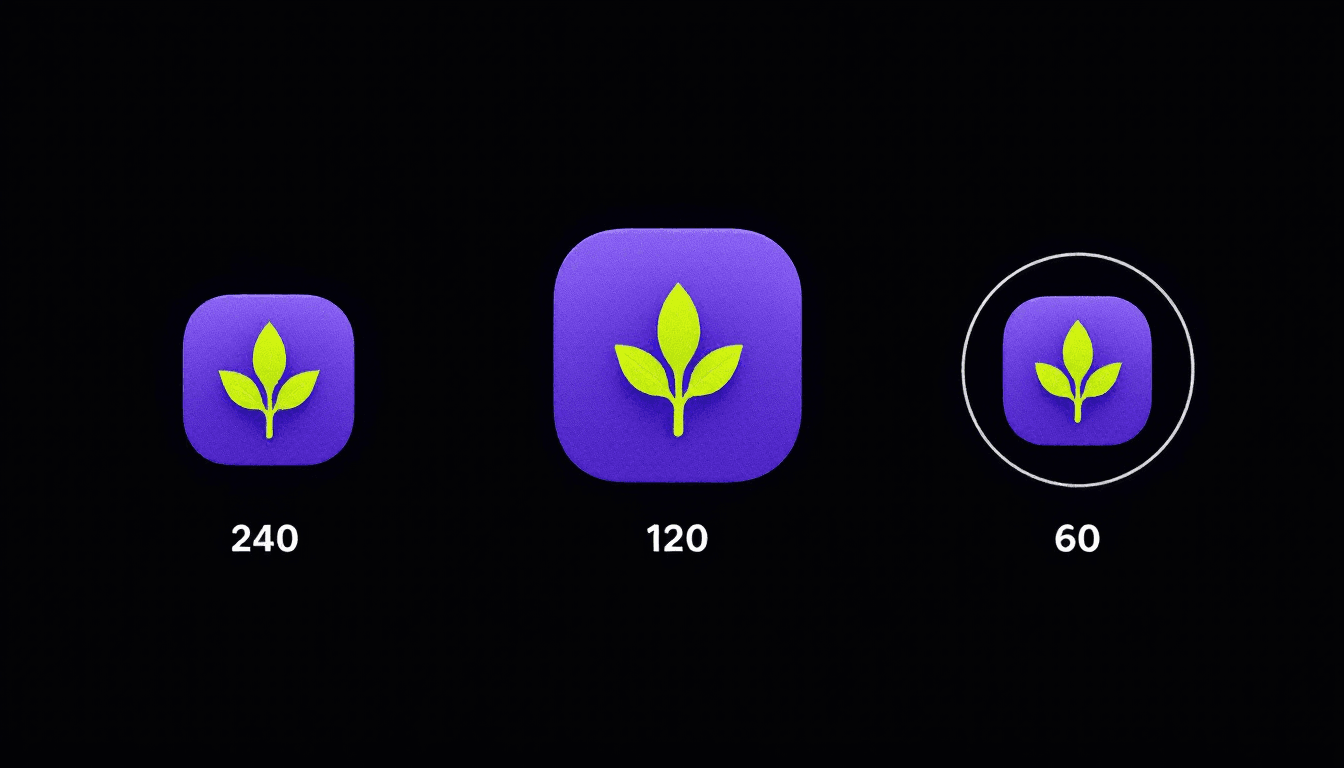
Is your icon failing you? Three frame-by-frame tests indie devs skip: the thumb test, the category-context test, and the story-arc test. None require a designer. All three catch the icon mistakes that quietly cost installs in App Store search.
Is your icon failing you?
Three frame-by-frame tests indie devs skip. The thumb test, the category-context test, and the story-arc test. None require a designer. All three catch icon mistakes that quietly cost installs in App Store search.
Why the icon is doing more than indie devs think
Apple displays your icon at several sizes. The size that decides whether buyers tap is small. App Store search results show the icon at roughly 60 pixels in landscape orientation on a standard iPhone display. That is not the size your icon was designed at. That is the size your icon was reduced to.
Indie icons designed to look great at 1024 pixels often look like a smudge at 60 pixels. The decision to install or not happens at 60 pixels, in a vertical scroll, surrounded by eight to twelve other apps on the screen at once. The icon is not standing alone in a portfolio. It is fighting for one thumb-stop in a fast scroll.
Test 1. The thumb test
Print your icon at 60 pixels and stare at your thumb.
Step by step:
- Open your icon design at 1024×1024. Export it at 120×120 (the size Apple ships to phones for retina). Then resample to 60×60 to simulate App Store search results in landscape.
- Put the 60-pixel render next to your thumbnail. Cover the icon with your thumb. Lift the thumb for one second. Cover again.
- In that one second, what did you see? One shape? Two shapes? A blur of colour? Text you cannot read? The answer tells you what a buyer sees in App Store search.
The icons that pass this test usually have: one bold shape, one or two colours, no text. The icons that fail usually have: small details, three or more colours competing, text the designer assumed would be readable.
Apple shrinks the icon to about 60 pixels. Any text on the icon disappears at that size. Most indie icons break this rule on launch day and never test it.
Test 2. The category-context test
Your icon does not live alone in the App Store. It lives in a grid surrounded by your category competitors.
Step by step:
- Open your category in the App Store. Scroll until you see the search-results grid your app would appear in.
- Screenshot that grid. Paste your icon into the screenshot at the same size as the other icons.
- Look at the grid as a whole. Does your icon stand out, blend in, or actively clash?
Three failure modes:
Camouflage. Your icon uses the same blue-and- white palette as five other apps in the grid. Buyers cannot tell yours apart at a glance. The fix is a different colour, not a redesign.
Visual shouting. Your icon is the brightest, most saturated element in the grid by a large margin. It reads as desperate, not as confident. The fix is to pull the saturation back. The strongest icons in any grid are usually the calmest.
Same metaphor. Your icon uses the same metaphor as your top competitor. A flame for a fitness app, a cloud for a weather app, a chat bubble for a messaging app. Buyers cannot distinguish you from the leader. The fix is a different metaphor with the same emotional read.
Test 3. The story-arc test
Show your icon to three people who do not know your app. Ask one question:
What does this app do?
Note their answer. Do not explain anything. Do not lead.
If two of three give an answer in the same neighbourhood as what your app actually does, the icon passes. If three of three give different answers, the icon does not suggest a story. Buyers form an idea of your app before they read the title. An icon that suggests nothing leaves the title doing all the work.
A real example. A meditation app shipped with a circle icon in two shades of grey. Three reviewers said "weather app," "ambient music," and "podcast app." None said meditation. The icon was beautiful and wrong. The redesign added one warm orange dot inside the circle (the moment of stillness, in their language). Two of three reviewers in the next round said "meditation" or "breathing." The icon was now telling a story.
How to iterate after a failed test
Three iteration rules:
Change one variable per iteration. If the thumb test failed because text was unreadable, remove the text. Do not also change the colour palette. Otherwise you cannot tell what fixed the failure.
Test the iteration against the same surface. Same 60-pixel render, same category-context grid, same three reviewers. Comparing iterations to a baseline only works when the surface stays constant.
Stop at three iterations. If the icon fails all three tests after three iterations, the problem is not the icon. It is the underlying idea of what the icon should communicate. Step back. Re-write the story-arc answer you want a stranger to give. Then design from that answer.
What we are building for the icon side
Icon work is the one part of the indie launch workflow where AsoGrove does not yet have a dedicated tool. The icon comparison surface, the category-context grid simulator, and the story-arc test capture are all on the post-Cohort-1 roadmap. Founding members will get the icon tool when it ships.
Today, run the three tests by hand. Use the screenshot framework in App Store Screenshots That Convert for the visual side downstream of the icon. Use the keyword and listing fields in App Store Keyword Research in 60 Seconds to anchor the title that sits beside the icon.
The three tests, summarised
- The thumb test. 60-pixel render. One thumb-cover-uncover. What did you see?
- The category-context test. Paste your icon into the live category grid. Camouflage, visual shouting, or same metaphor?
- The story-arc test. Three strangers, one question. Two of three answers in the right neighbourhood?
Twenty minutes of testing. Years of better impressions.
50 founding seats at €49/mo for life are open while Cohort 1 is filling. Claim a founding seat 🌱.